

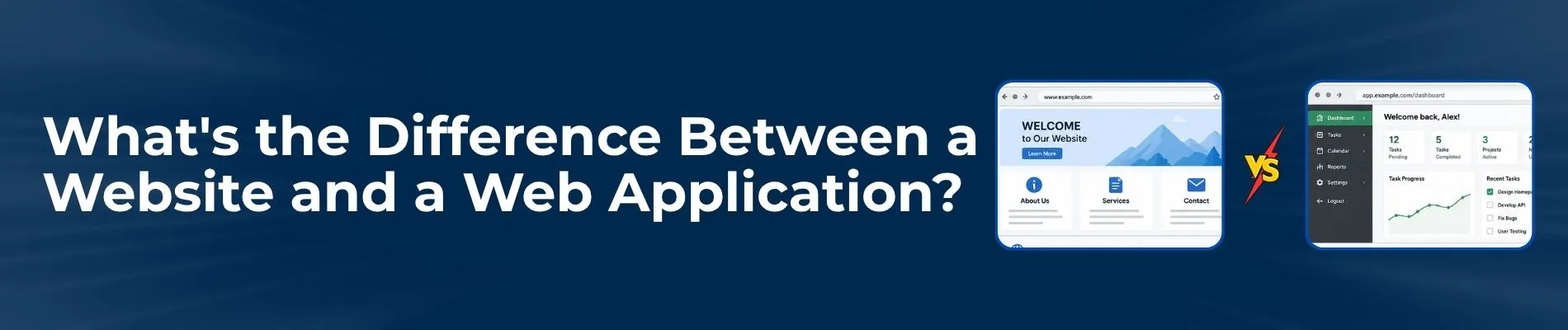
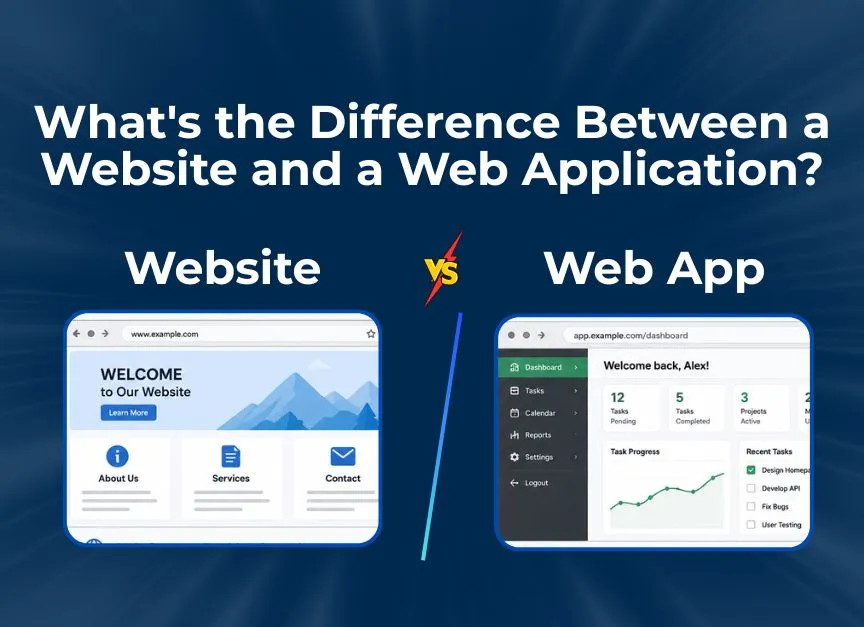
What's the Difference Between a Website and a Web Application
Written By Virtuosity Editor Team
Updated 20 June 2026
A website is mainly created to display information on the internet. It acts like a digital brochure where users visit pages to read content, view images, or learn about a topic. Most websites do not change their content for different users. Everyone sees the same information unless the site owner updates it. While some websites may allow comments or contact forms with a limited interaction level.
On the other hand, a web application is an online system that helps users do specific work through the internet. It is not just for reading information, but for performing actions. Users can interact with it by entering data, saving information, or completing tasks.
Web applications work using two main parts:
-
Front end – what users see and use
-
Back end – where data is processed, stored, and managed
Because of this structure, web applications can respond differently to each user. For example, two users logging in at the same time may see completely different dashboards based on their data.
Web Application vs Website: 4 Key Differences Explained in Detail
Let’s explore four key differences between a website and a web application to understand them better;
1) Conceptual Difference
Website: A website is essentially a collection of interlinked web pages. Its primary purpose is to deliver information to the user in a readable and scannable format. In 2026, websites serve as the "Front Door" of a brand.
-
Interaction Level: User interaction is very limited. Visitors mainly read content, scroll through pages, and view images or videos.
-
Examples: A news portal like The New York Times, a corporate landing page, or a personal portfolio.
Web Application: A web application is a dynamic program that resides on a remote server and is delivered over the internet through a browser interface. Its primary purpose is to perform a specific function or set of functions.
-
Interaction Level: Interaction is high and continuous. Users actively enter data, manage tasks, and receive instant responses from the system.
-
Examples: Gmail, Canva, or your online banking portal.
2) User Interaction Difference
The biggest difference between website and web application can be clearly seen in how users interact with the system. The way users enter data, receive responses, and see changes on the screen is completely different in both cases.
In Websites:
-
On a website, the data is usually "static." If you visit a blog post today and come back tomorrow, the content remains the same unless the owner manually updates it.
-
Websites usually work in a simple way. When a user clicks a link or submits a form, the entire page reloads to show new content. Each action feels separate.
-
A website is generally public. Everyone who types in the URL sees the same logo design ideas and the same homepage.
In Web Applications:
-
In a web application, the data is "dynamic" and "persistent." If you add a task to Trello, that data is saved to your account. The next time you log in, the application "remembers" you and shows your specific data.
-
Web applications respond instantly to user actions without refreshing the whole page. For example, liking a post, moving files, or updating a task happens immediately. This smooth interaction is possible because the application keeps track of user actions in real time.
-
A web application, however, is a personalized "room." Once you authenticate, the application changes its interface to suit your preferences, roles, and history.
3) Technical Architecture and Security Difference
Web applications are designed to handle complex tasks, which is why they need a stronger technical structure and higher security compared to regular websites. The difference becomes clear when we look at login systems, data protection, and external integrations.
1. Authentication and Authorization: The most common difference between website and web application is the "Login" button.
-
Websites rarely require a login unless you are leaving a comment or accessing gated content.
-
Web applications almost always require a secure login to protect the user's data and provide access to the app's functions.
2. Web Application Security (The 2026 Standard): In 2026, web application security is a massive industry. Because apps handle sensitive data—like credit card numbers, health records, or private messages—they are prime targets for hackers.
-
Website Security: Website security mainly focuses on protecting the site from attacks like defacement and denial-of-service (DDoS). Basic security measures are usually enough.
-
Web Application Security: Web application security focuses on preventing serious threats such as SQL Injection, Cross-Site Scripting (XSS), and data breaches. Developers follow strict security guidelines provided by organizations like OWASP (Open Worldwide Application Security Project) to make the application code secure.
3. Integration with External APIs: Web applications are usually not designed to work on their own. Instead, they act as central platforms that connect and communicate with multiple external services at the same time.
-
For example, a travel web application interacts with airline booking APIs, hotel databases, and weather services to provide complete and updated information to the user.
-
A website, on the other hand, generally functions as a standalone destination. It may include only basic integrations, such as a Google Maps widget or a social media feed, mainly for display purposes.
4) Branding and Design Differences
Whether you are creating a basic website or a feature-rich web application, consistent branding in web application vs website design is very important. Your brand colors, logo, and overall visual style should remain the same. However, the way branding is applied differs in a web application and a website because both serve different purposes and user goals.
1. Logo Usage
-
On a Website, the logo is usually placed in a large and visible area, such as the header or center of the page. Its main goal is to build trust and help visitors remember the brand. A strong logo creates a positive first impression.
-
In Web Applications, screen space is limited. The focus is on tools, menus, and user actions. Because of this, the logo is kept small and minimal, often shown as an icon or favicon in a corner. This allows more space for functional elements.
2. UI/UX Focus:
-
Website design mainly focuses on visual appeal and smooth flow. The aim is to keep users engaged, help them explore content, and enjoy reading or browsing.
-
Web applications focus on speed and simplicity. The goal is to help users finish their tasks quickly with minimal effort. Too many steps or confusing layouts can frustrate users, even if the design looks attractive.
A Quick Review
|
Feature |
Website |
Web Application |
|
Primary Goal |
To provide information and educate users |
To help users perform specific tasks |
|
User Role |
User mainly reads or views content (passive role) |
User actively interacts with the system (active role) |
|
Level of Interaction |
Very limited interaction, mostly clicking links or scrolling |
High interaction, such as data entry, editing, and actions |
|
Nature of Data |
Content is mostly the same for all users |
Content changes based on user input and profile |
|
Content Behavior |
Mostly static and updates manually |
Dynamic and updates automatically in real time |
|
Complexity |
Simple to moderately complex |
Highly complex due to backend logic |
|
Security Requirements |
Basic security, like SSL certificates |
Advanced security for user data and transactions |
|
User Authentication |
Login is usually not required |
Login is almost always required |
|
Personalization |
Little to no personalization |
Highly personalized user experience |
|
Development Technologies |
HTML, CSS, basic CMS platforms |
React, Angular, Node.js, Python, databases |
Conclusion
As technology evolves, the difference between a web application vs website is becoming less noticeable, but their core purpose still remains clear. A website is mainly used to share information and build user trust, while a web application helps users perform tasks and interact with online services. When both work together with strong security and consistent branding, they deliver a smooth user experience and create real value for both users and businesses.